Hermes Agent Egress Proxy: Keep API Keys Out of Docker Sandboxes (2026)
Keep real API keys out of Hermes Agent Docker sandboxes: iron-proxy swaps opaque proxy tokens for real credentials on the host, with honest v1 limits.
Hermes Egress Proxy: Keep Keys Out of Docker (2026)
Running untrusted agent work in Docker with real OPENAI_API_KEY values inside the container is a leak waiting to happen. Hermes Agent’s iron-proxy egress moves real keys to a host daemon and gives the sandbox opaque proxy tokens instead, with default-deny egress to allowlisted AI upstreams.
How This Guide Was Built
How This Guide Was Built explains the desk-research method for this iron-proxy tutorial using the iron-proxy guide fetched 2026-10-05. This guide is desk research from official docs fetched 2026-10-05; I did not provision a sandbox or proxy a key hands-on. No live testing was performed.
This tutorial synthesizes the egress overview, egress internals, Docker backend docs, upstream iron-proxy project and docs.iron.sh reference. For broader hardening context, see our security and privacy basics.
Why Docker Sandboxes Leak Real API Keys
Why Docker Sandboxes Leak Real API Keys matters because injected agents can read OPENAI_API_KEY via printenv or files and exfiltrate it, with prompt injection ranked #1 in the OWASP Top 10 for LLM Applications. Real keys inside containers are readable secrets, so isolation demands tokens instead of long-lived credentials.
A Docker sandbox is convenient because you can snapshot tools and files, as covered in our Docker guide, but environment variables are not secret storage. Any process in the container can run printenv, read ~/.config or credential files, or import a compromised dependency that phones home. If that value is sk-... for OpenAI or OpenRouter, the blast radius is your billing account.
Prompt injection makes this worse. A web page, issue comment, or tool output can instruct the agent to exfiltrate secrets. Hermes treats this as expected, not exceptional, which is why egress proxying removes the prize: a fully injected sandbox typically finds only proxy tokens that only work through your host proxy — with the uncovered-provider and raw-socket caveats covered below.
The Iron-Proxy Model: Tokens Inside, Real Keys on the Host
The Iron-Proxy Model: Tokens Inside, Real Keys on the Host keeps opaque proxy tokens in Docker while the host-side daemon holds real keys and terminates TLS with a local CA, per the egress overview. Default-deny allowlisting plus connect-time SSRF deny CIDRs ensure decrypted traffic exists only at the proxy, on your host, for allowlisted upstreams.
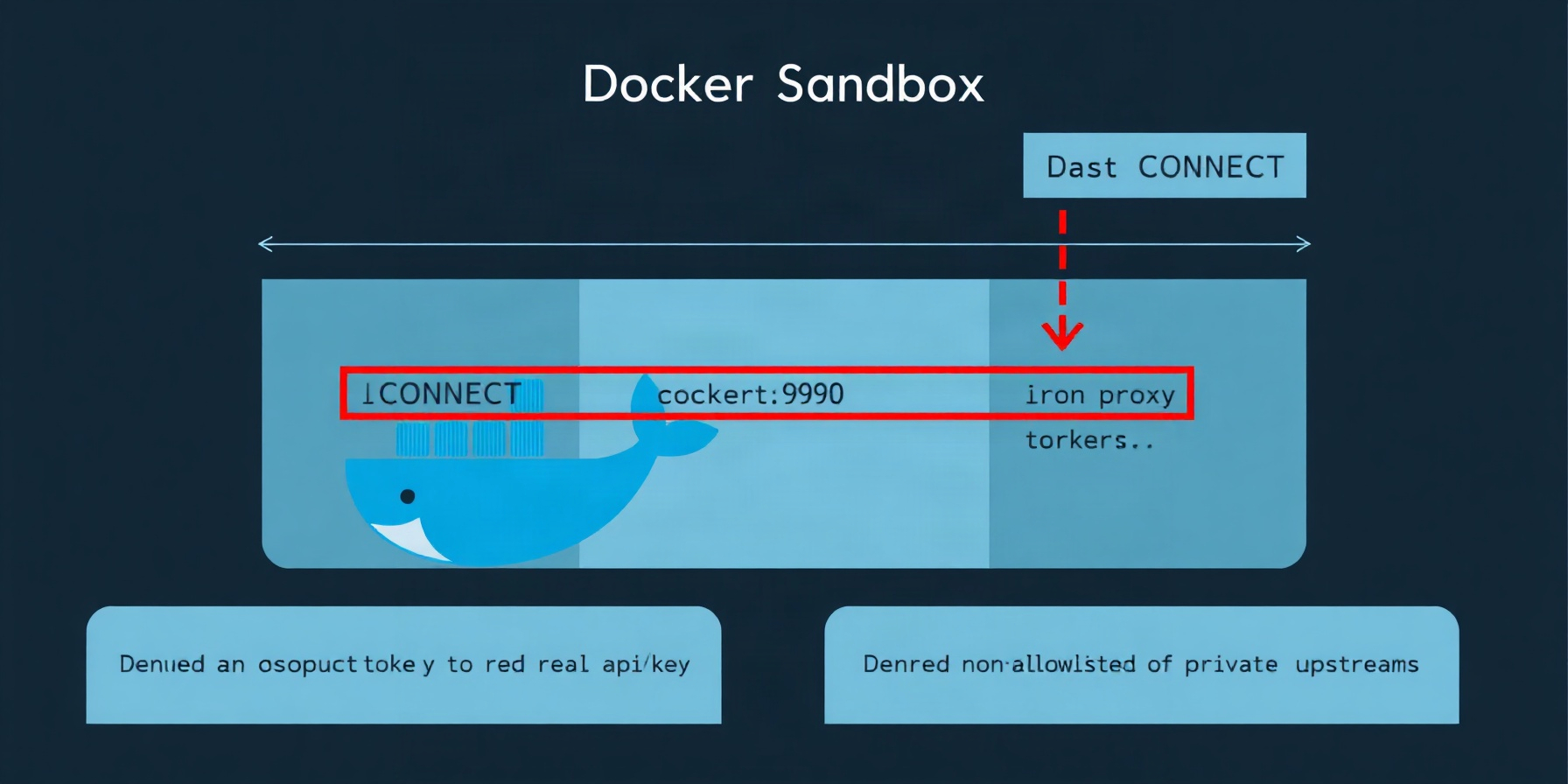
The flow is explicit: the sandbox issues CONNECT host:443 through iron-proxy with Authorization: Bearer <proxy token> in the request header; the proxy checks the allowlist, mints a leaf certificate from the local CA for the upstream host, terminates TLS, swaps the token for the real key via the secrets transform, re-encrypts upstream, and logs the request. A non-allowlisted host gets HTTP 403 from the proxy before any bytes leave the host, and the denial is logged.
State lives in ~/.hermes/proxy/ with directory mode 0o700: ca.crt 0o644, ca.key 0o600 which never leaves the host, proxy.yaml 0o600, mappings.json 0o600, plus iron-proxy.pid, iron-proxy.nonce with per-start nonce and PID-recycle defense via /proc/<pid>/environ, and iron-proxy.log. The CA private key stays on the host by design.
Quick Start: Four Commands
Quick Start: Four Commands gets iron-proxy running via hermes egress install, hermes egress setup, hermes egress start, and hermes egress status as documented in the iron-proxy guide. Install fetches pinned v0.39.0 SHA-256 verified binary while setup discovers env keys and ~/.hermes/.env without exporting.
Run in order:
hermes egress install downloads the pinned v0.39.0 binary and verifies SHA-256. Use install --force only to reinstall.
hermes egress setup discovers provider keys from the environment and reads ~/.hermes/.env without exporting anything to the shell, then writes proxy.yaml and mints opaque tokens into mappings.json.
hermes egress start launches the daemon, refetches Bitwarden secrets if configured, and binds the tunnel port.
hermes egress status checks PID, nonce, port, and rule health. Add status --show-tokens only when you need to inspect token values for debugging, then clear your terminal history.
Setup never prints real keys, and tokens are preserved across re-runs unless you explicitly request rotation.
What the Sandbox Actually Sees
What the Sandbox Actually Sees covers proxied environment variables injected into Docker containers according to the Docker backend docs. HTTPS_PROXY points to http://host.docker.internal:9090, CA bundles point to /etc/ssl/certs/hermes-egress-ca.crt, and HERMES_EGRESS_PROXY=1 signals proxied egress with only opaque tokens visible, never real keys inside.
Inside an egress-enabled sandbox:
HTTPS_PROXY=http://host.docker.internal:9090HTTP_PROXY=http://host.docker.internal:9091— plain-HTTP listener equals tunnel_port+1NO_PROXY=127.0.0.1,localhost,::1REQUESTS_CA_BUNDLE=/etc/ssl/certs/hermes-egress-ca.crt,SSL_CERT_FILE=/etc/ssl/certs/hermes-egress-ca.crt,CURL_CA_BUNDLE=/etc/ssl/certs/hermes-egress-ca.crt,NODE_EXTRA_CA_CERTS=/etc/ssl/certs/hermes-egress-ca.crtNODE_OPTIONShas--use-openssl-caappended, not replacedHERMES_EGRESS_PROXY=1sentinel marks proxied egress- Provider env names like
OPENAI_API_KEY,OPENROUTER_API_KEY,ANTHROPIC_API_KEYcontain only proxy tokens, plusHERMES_PROXY_TOKEN_<ENV_NAME>diagnostic aliases that expose the token value for troubleshooting
Learn how these vars interact with sandbox setup in our Docker guide, and why tokenization matters in security and privacy basics.
Collision protection is strict when enforce_on_docker: true. Setting egress-control vars or real provider env names in docker_env refuses sandbox creation. Using docker_forward_env to forward a protected provider key refuses. Using docker_extra_args to override proxy env or network controls with -e HTTPS_PROXY, --env-file, or --network refuses.
Config Keys That Change Behavior
Config Keys That Change Behavior live under proxy: in ~/.hermes/config.yaml and control egress enforcement as described in the egress internals. Enabled defaults false for complete no-op, tunnel_port defaults 9090, enforce_on_docker defaults true, and allow_env_fallback defaults false to prevent silent key leaks.
The eight keys are:
enableddefaults false, where false is a complete no-optunnel_portdefaults9090auto_installdefaultstruecredential_sourcedefaultsenv, withbitwardenas the alternative modeenforce_on_dockerdefaultstrue, where Docker refuses to start a sandbox when proxy is enabled but not runningallow_env_fallbackdefaultsfalse, so a missing Bitwarden value fails loudly instead of silently reusing stale env keysupstream_deny_cidrsdefaultsnull, meaning safe built-in defaults applyextra_allowed_hostsdefaults[]
Manage them with hermes egress config, or edit ~/.hermes/config.yaml directly. Use extra_allowed_hosts to add internal gateways; wildcards match the full hostname where *.example.com matches api.example.com, not example.com. Compare backend tradeoffs in our terminal backends comparison.
Default allowed upstream hosts are openrouter.ai, *.openrouter.ai, api.openai.com, api.anthropic.com, generativelanguage.googleapis.com, api.x.ai, api.mistral.ai, api.groq.com, api.together.xyz, api.deepseek.com, inference.nousresearch.com.
Default SSRF deny CIDRs are checked at connect time, not allowlist time: loopback v4+v6, link-local including IMDS 169.254.169.254 and its IPv4-mapped ::ffff: form, RFC1918 private ranges, IPv6 ULA fc00::/7, IPv4-mapped-v6 ::ffff:0:0/96, CGNAT 100.64.0.0/10, and RFC2544 198.18.0.0/15. A DNS-rebinding attempt through an allowlisted hostname to a private IP is refused at connect time.
Covered vs Uncovered Auth Schemes
Covered vs Uncovered Auth Schemes distinguishes Bearer and API-key transforms that iron-proxy swaps from signature-based flows it cannot cover, per the iron-proxy guide. Eight Bearer providers plus Anthropic, Azure, and Gemini are covered, while AWS SigV4 and Vertex OAuth warn loudly but never block execution.
| Provider / Scheme | Auth mechanism | Sandbox receives | Swap covered? | Uncovered behavior |
|---|---|---|---|---|
| OpenRouter, OpenAI, Groq, Together, DeepSeek, Mistral, xAI, Nous | Bearer *_API_KEY in Authorization | proxy token | yes | n/a |
| Anthropic | x-api-key + Authorization | proxy token | yes | n/a |
| Azure OpenAI | api-key + Authorization on *.openai.azure.com etc. | proxy token | yes | n/a |
| Gemini/Google | x-goog-api-key header or ?key= query | single token minted under both GEMINI_API_KEY and GOOGLE_API_KEY | yes | n/a |
| AWS Bedrock/SageMaker | SigV4 signing | REAL AWS_ACCESS_KEY_ID/SECRET | no, guarantee incomplete | warning only |
| GCP Vertex AI | OAuth from GOOGLE_APPLICATION_CREDENTIALS | real credentials file | no, guarantee incomplete | warning only |
Uncovered means exactly that: Hermes detects AWS SigV4 and Vertex OAuth during setup and emits loud warnings, but never blocks. The sandbox still receives real AWS keys or a real credentials file because the proxy cannot safely re-sign those requests in v1. One covered-scheme footnote: the default allowlist does not include the Azure OpenAI domains, so Azure users must add *.openai.azure.com (or their regional host) to proxy.extra_allowed_hosts or requests will draw the proxy’s 403. If isolation is critical, do not mount AWS or Vertex credentials into untrusted Docker sandboxes. See security and privacy basics for key hygiene.
Bitwarden Mode and Rotation
Bitwarden Mode and Rotation stores real provider secrets in Bitwarden Secrets Manager and refetches them on every daemon start, per the Bitwarden secrets docs. Running hermes egress setup --from-bitwarden maps BWS entries to tokens, while rotation requires updating Bitwarden then restarting the daemon cleanly.
hermes egress setup --from-bitwarden switches credential_source to Bitwarden and builds token mappings from BWS entries. Every daemon start refetches from BWS, so the host always uses current secrets without editing sandbox code.
Rotation is: rotate the secret in the Bitwarden app, then run hermes egress stop && hermes egress start. Missing BWS_ACCESS_TOKEN, project ID, or mappings cause fail-loud start where the daemon refuses to start rather than running with stale keys. To leave Bitwarden mode, run hermes egress setup --no-bitwarden. Re-running setup without either flag preserves the existing credential_source. Upstream Hermes code and Hermes repo docs treat fail-loud as intentional.
Operating and Rotating the Daemon
Operating and Rotating the Daemon uses the full hermes egress command tree documented in the iron-proxy guide. Setup preserves tokens by default, --rotate-tokens rolls every token with a timestamped mappings.json.rotated-* backup, and running sandboxes keep old tokens until restarted for safe rotation.
Full tree: install, install --force, setup, setup --tunnel-port N, setup --from-bitwarden, setup --no-bitwarden, setup --rotate-tokens, start, stop, restart, reload, status, status --show-tokens, disable, config.
Useful behaviors: reload hot-reloads the ruleset with no dropped connections. setup preserves tokens by default to avoid breaking active sandboxes. setup --rotate-tokens rolls every token, prompts for tty confirmation, and writes backup mappings.json.rotated-<ts>. Running sandboxes keep old tokens until restarted, so restart them after rotation. An egress-posture label prevents reuse of pre-egress containers that predate proxy enforcement. Details on Docker lifecycle are in our Docker guide.
Logging and Troubleshooting Quick Hits
Logging and Troubleshooting Quick Hits centers on ~/.hermes/proxy/iron-proxy.log line-delimited JSON events and requests on v0.39, per upstream iron-proxy behavior documented at docs.iron.sh. Audit.log remains zero bytes on v0.39 as placeholder, so monitoring, grep workflows, and port-collision diagnosis must target iron-proxy.log exclusively.
iron-proxy.log contains both daemon events and per-request records on v0.39. Filter with grep '"upstream":"openrouter.ai"' ~/.hermes/proxy/iron-proxy.log | tail -20. audit.log is zero bytes on v0.39 as a placeholder — do not point monitoring at it.
Quick hits: port collision — read the last 20 log lines for bind failure. Refusing to start: BWS_ACCESS_TOKEN is not set — export the token or re-run hermes egress setup --no-bitwarden. Sandbox timeout on Linux — allow the bridge with sudo ufw allow in on docker0 to any port 9090 proto tcp plus 9091, then verify with docker run --rm --add-host host.docker.internal:host-gateway busybox nc -zv -w 3 host.docker.internal 9090. SSL errors — check the CA mount and the four CA env vars. 401s after rotation — you rotated tokens but kept old sandboxes running; restart them. Address in use after the parent died — run hermes egress stop, and if needed manually with pkill -TERM iron-proxy, remove pid and nonce files, then start. One boundary to guard beyond the sandbox: if the CA private key leaks or traffic is redirected to attacker-controlled proxy infrastructure, an adversary-in-the-middle can present valid leaf certificates and the token guarantee collapses — the docs flag exactly this trusted-proxy-boundary risk with MITRE ATT&CK T1588.004, so keep ~/.hermes/proxy/ca.key at 0600, host-only. Broader log hygiene is in security and privacy basics.
Limits v1 and the Node Raw-Socket Caveat
Limits v1 and the Node Raw-Socket Caveat admits Docker-only support and incomplete guarantees for signature auth and raw sockets, per the egress internals. NODE_EXTRA_CA_CERTS only adds CAs without replacing the store, so untrusted Node code using tls.connect() with custom ca can bypass inspection entirely.
Docker backend only in v1: Modal, Daytona, SSH, and Singularity get nothing yet. There is no native Windows binary. Signature-auth providers bypass as described above. Bind policy is never 0.0.0.0: Linux binds the Docker bridge gateway 172.17.0.1:tunnel_port where host.docker.internal resolves via --add-host host.docker.internal:host-gateway, while macOS and Windows Docker Desktop bind loopback 127.0.0.1. A LAN peer with a leaked token cannot reach either bind.
Node needs care: NODE_EXTRA_CA_CERTS adds but does not replace the trust store, so a Node process can open a raw net.Socket or tls.connect() with its own ca option and bypass the proxy CA. NODE_OPTIONS=--use-openssl-ca narrows but does not close that bypass. Advice: do not run untrusted Node raw-socket code in an isolation-critical sandbox. Hermes explicitly protects against prompt-injected printenv reads, dependency phone-home via default-deny, IMDS dialing including IPv4-mapped form, DNS rebinding to private IPs, same-uid env scraping for non-mapped names, and LAN token reuse via bind policy. It does not protect against compromised host processes, stolen CA keys or hijacked proxy endpoints, raw-socket bypass, explicitly mounted credential files, allowlisted-host exfil via request bodies, uncovered providers, or same-uid /proc/<pid>/mem reads. See backend scope in our terminal backends comparison.
FAQ
FAQ answers the most common iron-proxy deployment questions about backends, blocking, rotation, Node TLS, and binding, drawing on the egress overview. These short answers clarify Docker-only scope, default-deny behavior, secret rotation without code edits, and why the bind policy stays host-local.
Does hermes egress support Modal, Daytona, SSH, or Singularity backends?
No. V1 is Docker backend only. Those backends receive no proxy injection, no token swap, and no enforcement. Use Docker for untrusted work if you need egress control, and track Hermes docs for backend expansion.
What happens when a prompt-injected sandbox calls a non-allowlisted host?
The proxy returns HTTP 403 before traffic leaves the host and logs the denial. Compromised dependencies phoning home to random domains fail the same way. Only allowlisted upstreams plus extra_allowed_hosts can egress, with SSRF deny CIDRs enforced at connect time.
How do I rotate provider secrets without editing sandbox code?
Rotate the real secret at the provider or in Bitwarden, then refresh what the daemon holds. For Bitwarden mode rotate in the Bitwarden app then run hermes egress stop && hermes egress start to refetch. For proxy tokens (not the underlying keys), hermes egress setup --rotate-tokens rolls every token — then restart sandboxes. Sandbox code keeps using the same env names either way.
Why does Node.js need NODE_OPTIONS="--use-openssl-ca" and why is that not a complete fix?
Node does not honor the system CA store by default, so Hermes appends --use-openssl-ca to make OpenSSL-backed TLS trust the egress CA. It is incomplete because NODE_EXTRA_CA_CERTS only adds CAs and Node can still use raw sockets or custom ca options to skip the proxy trust chain entirely.
Can I bind the proxy on 0.0.0.0 so another machine can use it?
No. Hermes never binds 0.0.0.0 by policy. Linux uses 172.17.0.1 and Docker Desktop uses 127.0.0.1 so only local containers reach the daemon. Exposing tokens or keys to the LAN would defeat the host-only security model.
The Bottom Line
The Bottom Line verdict is that iron-proxy keeps real API keys off Docker sandboxes for covered providers, according to the Hermes repo and official egress docs. If you sandbox untrusted work with OpenAI, Anthropic, Gemini, or OpenRouter models, default-deny egress with token swap is worth enabling today.
Enable it with the four commands, keep AWS and Vertex credentials out of untrusted sandboxes, use Bitwarden mode for rotation, and remember the Node raw-socket limit. You get allowlisted egress, connect-time SSRF blocking, and tokens inside Docker instead of real keys.