Hermes Agent Subscription Proxy: Reuse One Nous Portal Subscription in Any OpenAI-Compatible App (2026)
Set up the Hermes Agent subscription proxy so any OpenAI-compatible app can borrow your Nous Portal login, plus the security, quota, and ops details.
Hermes Agent Subscription Proxy: Reuse One Nous Portal Subscription in Any OpenAI-Compatible App (2026)
Most tools you run alongside an agent want the same three things from an LLM provider: a base URL, an API key, and a model name. The Hermes Agent subscription proxy is a local HTTP server that fills that shape with your Nous Portal subscription. It attaches the correct credential on every request and refreshes it before expiry, so any OpenAI-compatible client works without a static key of its own — as documented in the subscription proxy reference.
How This Guide Was Built
This guide was built from the official Hermes Agent documentation fetched on 2026-10-29, so every command, flag, path, and quoted output line below traces to a published page rather than to an author’s test bench. The primary sources are the subscription proxy reference and the Nous Portal integration docs; no benchmarks or hands-on lab results are claimed.
What the Subscription Proxy Actually Does
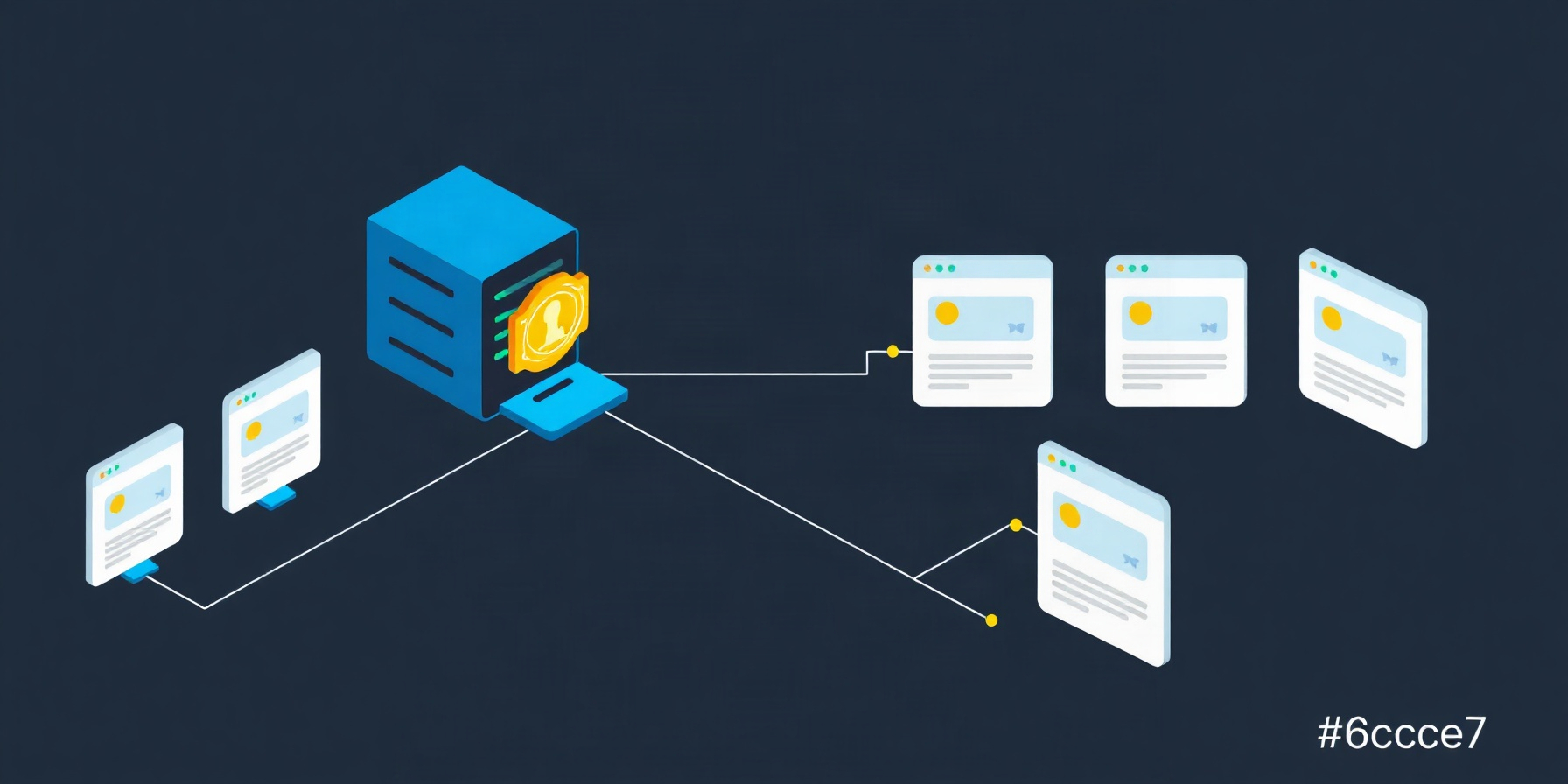
The subscription proxy runs a local HTTP server that lets external apps — OpenViking, Karakeep, Open WebUI, anything speaking OpenAI-compatible chat completions — use your Hermes-managed provider subscription as their LLM endpoint, with credentials attached and refreshed automatically so the app never needs a static API key.
Per request the proxy accepts POST /v1/chat/completions, looks up the adapter’s current credential and refreshes it if it is close to expiry, forwards the body verbatim with Authorization: Bearer <minted-key>, and streams the response back unchanged with SSE preserved. There is no transformation, no logging of request bodies, and no agent loop.
Proxy or API Server? Which One You Want
Hermes ships two OpenAI-compatible servers that are easy to confuse because both accept standard chat-completions traffic. The split is scope: the API server serves your agent with its full toolset, while the subscription proxy serves raw model inference only.
API server (hermes gateway) |
Subscription proxy (hermes proxy start) |
|
|---|---|---|
| What it serves | Your agent — toolset, memory, skills | Raw model inference, passthrough only |
| Default address | 127.0.0.1:8642 |
127.0.0.1:8645/v1 |
| Client auth | API_SERVER_KEY |
Any bearer token; the proxy attaches the real credential |
| Tool calls | Yes | No |
| Use it when | You want the agent as a backend | You want just the model through your subscription |
Use the API server when the consumer should drive the agent. Use the proxy when the consumer already has its own loop and only needs inference. Our provider setup walkthrough covers the login side both paths share.
Prerequisites and the Three-Command Setup
The whole setup is three commands — authenticate to the Portal, start the proxy, and point an app at http://127.0.0.1:8645/v1 — exactly the sequence the subscription proxy documentation lays out. You need a working Hermes install and a Portal subscription that includes model access; no separate provider key is involved at any point.
1. hermes portal — runs Portal OAuth. The refresh token is stored at ~/.hermes/auth.json, the same location where all Hermes provider logins live, deliberately separate from config.yaml. The docs disagree slightly on remote hosts: the OAuth over SSH reference lists the Portal among the device-code flows that need no tunnel, while the Nous Portal docs still point remote users at loopback-forwarding patterns — follow whichever flow your install actually prints. If you do need a tunnel, the mechanics are the standard ones in the OpenSSH manual.
2. hermes proxy start — prints the following:
Starting Hermes proxy for Nous Portal
Listening on: http://127.0.0.1:8645/v1
Forwarding to: (resolved per-request from your subscription)
Use any bearer token in the client — the proxy attaches your real credential.
3. Point the app — set Base URL http://127.0.0.1:8645/v1, API key anything (for example sk-unused), and model Hermes-4-70B. The proxy ignores the application’s Authorization header and attaches the real Portal credential, refreshing it automatically as the bearer nears expiry.
Pointing an App at the Proxy
The base-URL-plus-any-key pattern repeats across clients: an OpenAI-compatible app only needs a reachable base URL and a non-empty key string, because the proxy substitutes your real Portal credential upstream. Open WebUI and LobeChat both accept a custom OpenAI base URL in their connection settings, so the same three values work there; NextChat follows the identical shape.
Karakeep takes it as three environment variables:
OPENAI_API_BASE_URL=http://127.0.0.1:8645/v1
OPENAI_API_KEY=any-non-empty-string
INFERENCE_TEXT_MODEL=Hermes-4-70B
OpenViking uses a config file instead, with vlm.provider set to "openai", vlm.model to "Hermes-4-70B", vlm.api_base to "http://127.0.0.1:8645/v1", and vlm.api_key to "unused-proxy-attaches-real-creds" in ~/.openviking/ov.conf. Run hermes proxy start in one terminal and openviking-server in another. Note that OpenViking’s embedding side may still need its own provider for some tiers: the Portal does serve /v1/embeddings, but which models are available depends on your tier.
A curl smoke test confirms the path before you touch any GUI:
curl http://127.0.0.1:8645/v1/chat/completions \
  -H "Authorization: Bearer sk-unused" \
  -H "Content-Type: application/json" \
  -d '{"model":"Hermes-4-70B","messages":[{"role":"user","content":"ping"}]}'
curl sends neither an Origin nor a Sec-Fetch-Site header, so it is unaffected by the browser protections described below.
What the Proxy Will and Won’t Forward
The Nous Portal adapter exposes a deliberate allowlist of four inference paths. Anything outside that list returns a 404 whose error text names the allowed paths, so a misconfigured client cannot quietly push image or audio requests at the upstream provider — the failure is loud and points at the fix.
| Path | Result | Notes |
|---|---|---|
/v1/chat/completions |
Allowed | Streaming and non-streaming |
/v1/completions |
Allowed | Legacy completions |
/v1/embeddings |
Allowed | Model availability depends on your Portal tier |
/v1/models |
Allowed | Listing |
/v1/images/generations |
404 | Error names the allowed paths |
/v1/audio/speech |
404 | Error names the allowed paths |
Tool Gateway capabilities — web search and extract, image generation, text-to-speech, and cloud browser automation via browser_exec — are agent-side plumbing enabled per tool with hermes tools, as described in the Tool Gateway docs. The proxy forwards model inference only and does not hand your external app a search or image tool; see our Tool Gateway build log for how those tools are wired on the agent side. Providers that are not OpenAI-compatible at the protocol level, such as the Anthropic Messages API, would need a transformation layer, which is out of scope for the current shape.
Choosing a Model Through the Proxy
Model choice through the proxy is a plain string in your client. The documented examples use Hermes-4-70B, with Hermes-4.3-36B and Hermes-4-405B as siblings, and the proxy forwards the request body verbatim, so the model name you set is the model the Portal is asked for.
The nuance worth stating plainly: the Nous Portal docs say the Hermes 4 family is tuned for chat and reasoning rather than the rapid-fire tool-calling loop, and is not recommended for use inside Hermes Agent itself — while explicitly pointing at the subscription proxy as the right way to use those models from other tooling. A chat-tuned model is a sensible default for a summarizer or extraction pipeline; for agentic tool loops, reach for a frontier agentic model instead. The Portal carries 300+ models on one bill, including the Claude Opus 4.7 and 4.6, Sonnet 4.6 and Haiku 4.5 families, the GPT-5.5 family, Gemini 3 Pro and 3.1 previews, DeepSeek V4 Pro, Qwen3.7-Max, Kimi K2.6, GLM-5.1, MiniMax M2.7, and Grok 4.3. If a model you need never appears in the picker, the documented path is to open an issue on the Hermes Agent tracker — missing entries usually mean a routing config rather than an entitlement gap.
One routing caveat: the Portal routes each model to whichever backend suits it, so OpenRouter-specific request extensions — provider routing preferences, session_id sticky routing, and top-level cache_control — are not part of the Portal’s API contract and may be ignored by whichever backend serves the request. Do not configure them expecting them to take effect.
Security: Loopback by Default, and What That Buys You
The proxy binds 127.0.0.1 by default, which is the entire security story if every client lives on the same box: nothing off-host can reach the port, and no credential ever leaves your machine. Widening that bind is a deliberate act with a real consequence, because the proxy authenticates nothing on its own.
On loopback it refuses requests whose Host header is not its own address — localhost, 127.0.0.1, [::1], or the bound IP — and refuses browser requests arriving from another site, meaning an Origin other than its own or a Sec-Fetch-Site of cross-site or same-site. The practical effect is that a web page you happen to have open cannot drive your proxy. SDKs and curl send neither header and are unaffected.
Exposure changes the calculus:
hermes proxy start --host 0.0.0.0 --port 8645A wildcard bind skips the Host check and refuses every browser-originated request — but the proxy has no auth of its own, accepting any bearer token it receives. Anything that can reach port 8645 gets your subscription quota. Put it behind a firewall, a VPN, an SSH tunnel, or a reverse proxy that enforces its own authentication before you widen the bind; never treat the wildcard bind as a safe default. The same reasoning applies to keeping the port off the public internet entirely.
Running It Day to Day
Day-to-day operation is two inspection commands plus an awareness of the token lifecycle: hermes proxy status tells you whether the adapter can authenticate, hermes proxy providers tells you which subscriptions the proxy can front, and the JWT underneath is refreshed, minted, and retried automatically rather than managed by hand.
hermes proxy statusreports adapter readiness and bearer expiry, for example[nous] Nous Portal — ready (bearer expires …). Two failure strings matter: “not logged in” means no Portal refresh token exists, fixed by runninghermes portal; “credentials need attention” means the stored token was revoked — usually a sign-out from the Portal web UI — and the documented fix is re-runninghermes portalto log in again.hermes proxy providerslists the shipped adapters —nousfor Nous Portal andxaifor xAI/Grok. New providers implement theUpstreamAdapterinterface underhermes_cli/proxy/adapters/.hermes portal infoandhermes portal toolsinspect the Portal session and its tooling.
Token handling is automatic. Hermes mints a short-lived JWT from the stored refresh token per inference call rather than reusing a long-lived API key, and refresh, mint, and retry on a transient 401 all happen without intervention. If a refresh token is invalidated — password change, manual revoke, session expiry — it is quarantined locally so Hermes stops replaying it, and the next call surfaces a clear re-authentication message. Long-running gateway or dashboard processes run a keepalive bounded by nous.keepalive_interval_seconds: 900, where 0 disables it.
Rate limits are not multiplied. Your Portal tier’s RPM and TPM limits apply across the whole proxy; there is no fan-out and no pooling. It is a single bearer carrying your full subscription quota, so every app you point at it shares one budget — worth remembering before you add a fifth client. Our token cost notes cover the surrounding budget question.
For uptime, run hermes proxy start under whatever supervisor already keeps your long-running Hermes processes alive; see our background processes guide for the house pattern. Startup is idempotent with respect to credentials: the proxy resolves them per request, so a restart never requires re-entering a key.
Troubleshooting
Troubleshooting the proxy reduces to four documented causes — a missing Portal login, quarantined credentials, a wrong base URL, or a path outside the adapter allowlist. hermes proxy status distinguishes the two credential causes before you touch client config, and the table below maps each symptom to its fix, per the subscription proxy documentation.
| Symptom | Cause | Fix |
|---|---|---|
404 naming the allowed paths when calling /v1/images/generations or /v1/audio/speech |
Path is outside the Portal adapter allowlist | Use one of the four allowed paths; image and TTS tools are agent-side only |
hermes proxy status reports “not logged in” |
No Portal refresh token in ~/.hermes/auth.json |
Run hermes portal and complete the device-code flow |
hermes proxy status reports “credentials need attention” |
Refresh token revoked or expired and quarantined locally | Run hermes portal to log in again |
Client reports connection refused on 127.0.0.1:8645 |
Proxy is not running | Start it with hermes proxy start and confirm the Listening on: line |
A browser-based client fails while curl and SDKs succeed |
Host, Origin, or Sec-Fetch-Site rejection of browser-originated requests |
Expected on loopback; use a native client or serve the app from the same origin |
| Client returns 401 from the upstream despite an accepted request | Transient credential expiry mid-flight | Usually self-heals — refresh, mint, and retry on transient 401 are automatic; if it persists, re-auth with hermes auth add nous |
| Embeddings request returns a model error | Embedding model availability depends on your Portal tier | Check your tier, or give that app its own embedding provider |
OpenRouter-specific routing or cache_control settings appear ignored |
Not part of the Portal’s API contract | Remove them; the Portal routes each model to whichever backend suits it |
If the whole agent side is misbehaving rather than just external clients, start at our troubleshooting hub.
FAQ
Can the proxy give each app its own API key?
No. The proxy has no auth of its own and accepts any bearer token, deliberately ignoring whatever Authorization header the client sends while attaching your real Portal credential. Isolation between apps must come from network placement — loopback, a firewall, a VPN, or an authenticated reverse proxy — not from per-client keys.
Does it forward tool calls, memory, or skills?
No. The subscription proxy is inference-only passthrough: it forwards the request body verbatim and streams the response back unchanged, with no agent loop. Tool Gateway capabilities such as web search, image generation, text-to-speech, and browser_exec browser automation stay agent-side; if your app needs tools, point it at hermes gateway on port 8642 instead.
Is binding to 0.0.0.0 acceptable on a homelab LAN?
Only behind something that authenticates. A wildcard bind skips the Host check, refuses browser-originated requests, and still has no auth of its own, so every device that can reach port 8645 consumes your subscription quota. Wrap it in a firewall rule, a VPN, an SSH tunnel, or a reverse proxy with its own authentication first.
Which model should I name in the client?
The documented proxy examples use Hermes-4-70B, with Hermes-4.3-36B and Hermes-4-405B as siblings, but the Portal docs note the Hermes 4 family is tuned for chat and reasoning rather than rapid tool-calling loops. Use it for summarization or extraction; choose a frontier agentic model for tool loops.
The Bottom Line
The subscription proxy is the right tool when you want raw model inference through one Nous Portal subscription inside any OpenAI-compatible app, and the wrong tool when you need the agent’s tools, memory, or skills — for that, the API server on port 8642 is the correct choice. Three commands get you running, loopback binding does most of the security work, and the single shared quota is the constraint to plan around. The project source lives at NousResearch/hermes-agent.
📖 Related Reads
- ToolBrain — tool reviews, LLM comparisons, and AI workflow guides
- NoCode Insider — AI workflow automation with no-code tools, agents, and APIs
- CodeIntel Log — code quality, debugging, and software engineering benchmarks
Cross-links automatically generated from Hermes Tutorials.